Exchanges are currently only available for UAE customers.
For all other countries; you can return your item(s), and then place a new order. To create a return, please follow the steps outlined here.
For UAE customers:
Note: You can raise an exchange request only once per order. Make sure to select all items you wish to exchange at that time. Once an exchange request is submitted, no additional items from the same order can be included.

Exchanges are limited to a different size or color of the same item.
1. To create an exchange, you first need to login to your account. An OTP code will be required.
2. You can do this on the website or the app. If you are using the app, ensure it is installed and updated to the latest version.
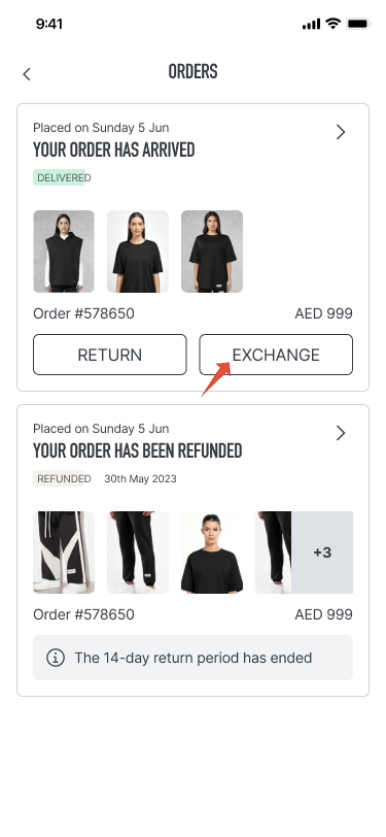
3. In your account, find your order.
4. Click on “EXCHANGE.”
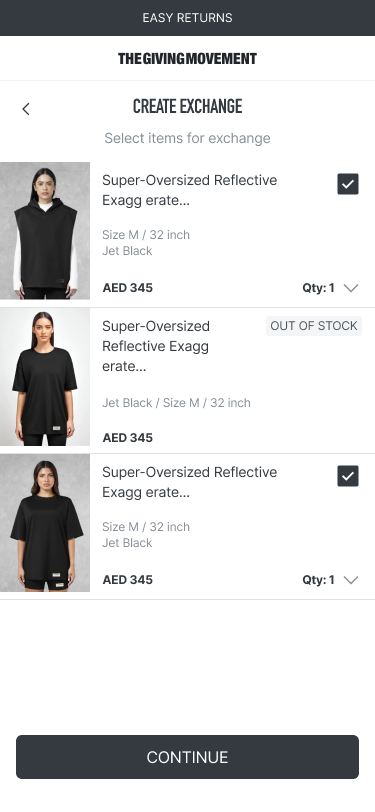
5. Select the item(s) you would like to exchange, then click on “CONTINUE.”
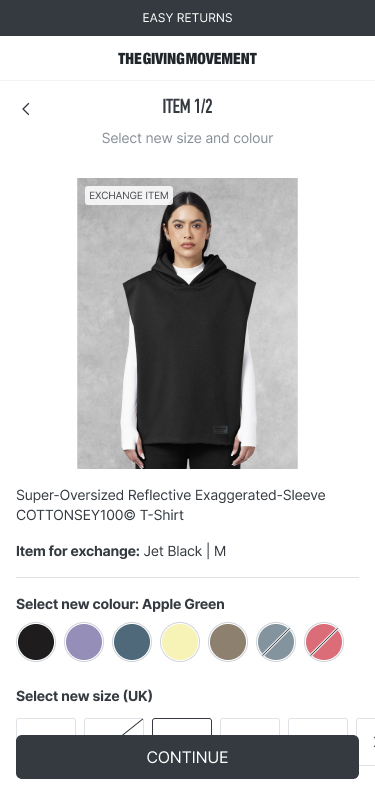
6. When selecting the item(s), please choose the color and size you would like to exchange them for.
7. After clicking “CONTINUE,” review your exchange summary carefully, then click on “CONTINUE” again.
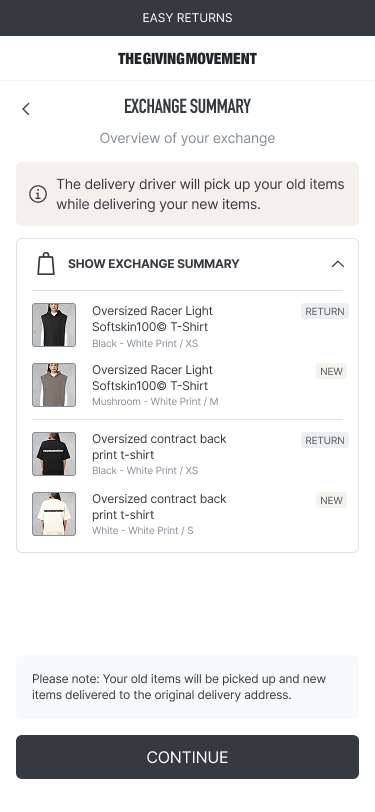
8. Your exchange request is complete.
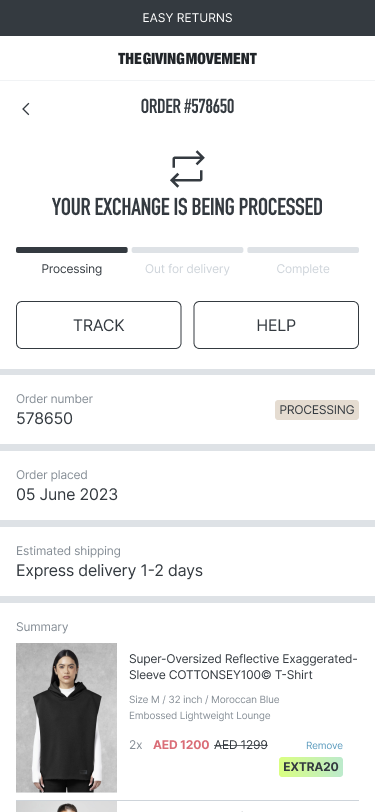
You can find our exchange policy here.
Was this article helpful?
That’s Great!
Thank you for your feedback
Sorry! We couldn't be helpful
Thank you for your feedback
Feedback sent
We appreciate your effort and will try to fix the article